Readme
Everything you need to get the most out of feedctl. Start here, and you'll be curating like a power user in minutes.
Quick Start
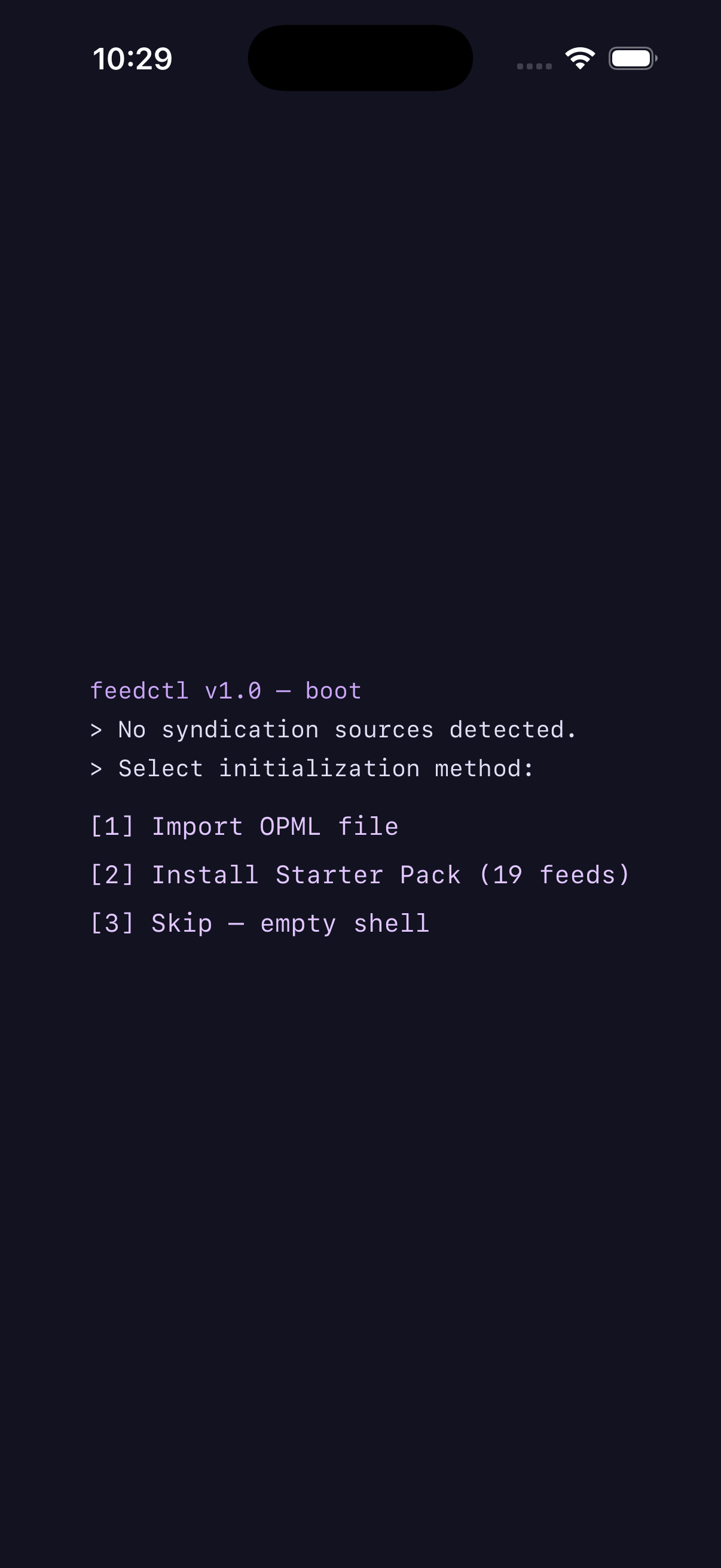
feedctl is designed to work out of the box. On first launch, you'll see a terminal-style boot sequence as the AI engine initializes. Once that completes, you're ready to go.
- Pick your starter feeds. feedctl ships with a curated starter pack spanning technology, science, culture, and more. Or bring your own feeds from a different RSS app using OPML import.
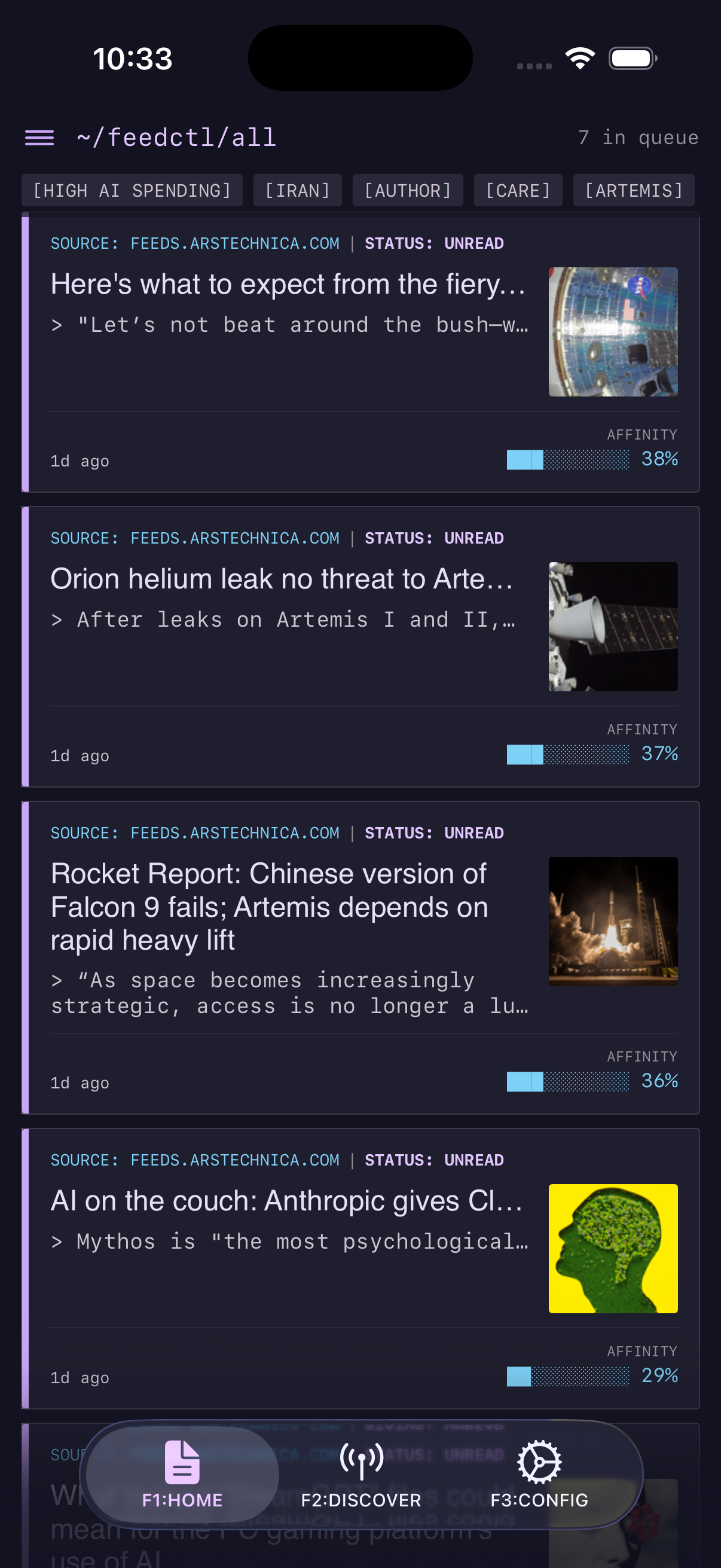
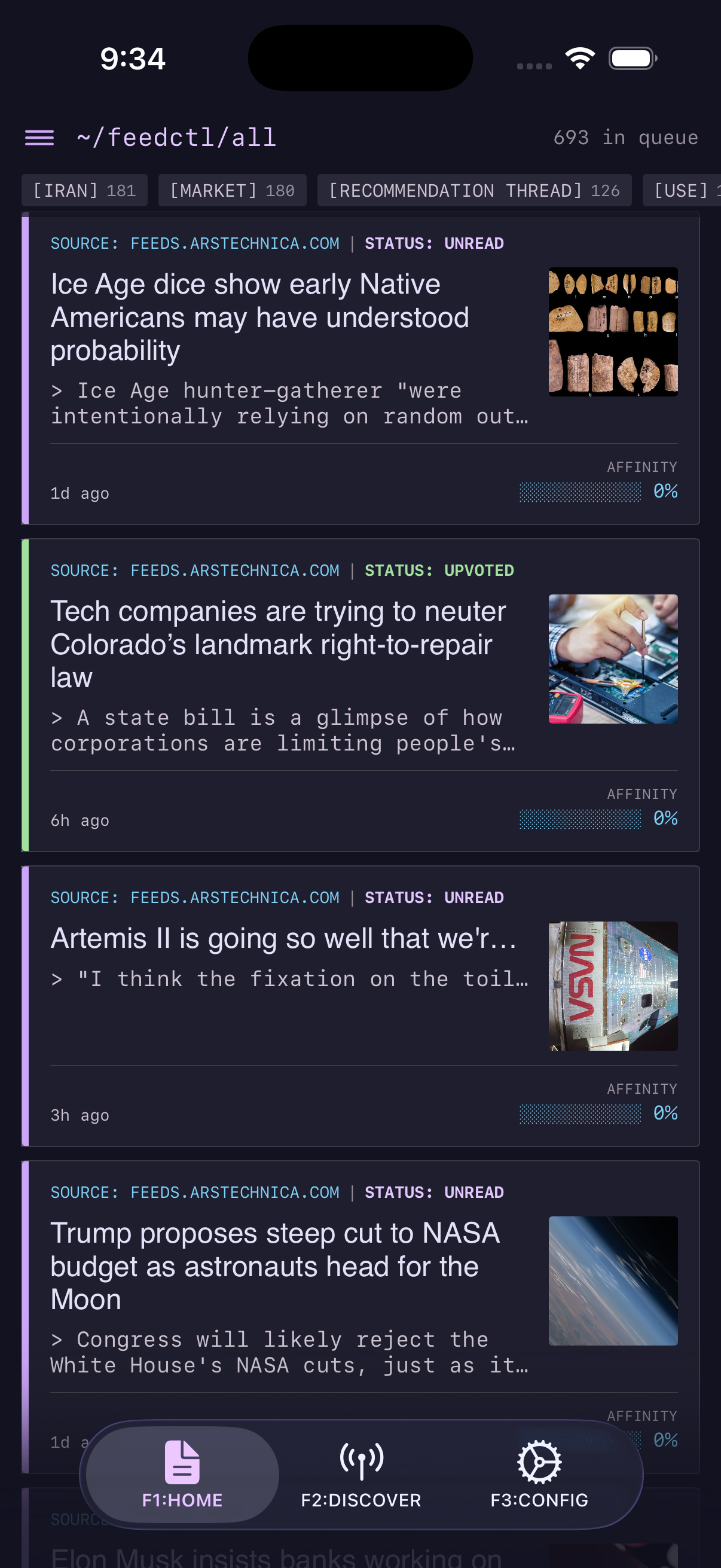
- Browse your queue. Articles are sorted by affinity score — the AI's calculation of how much you'll like each one. Higher scores appear first.
- Vote on articles. Tap the upvote or downvote buttons as you read. This is how feedctl learns. The more you vote, the sharper the rankings become. You can vote in the detailed article view on the command bar, or in the list view by swiping left on an article.
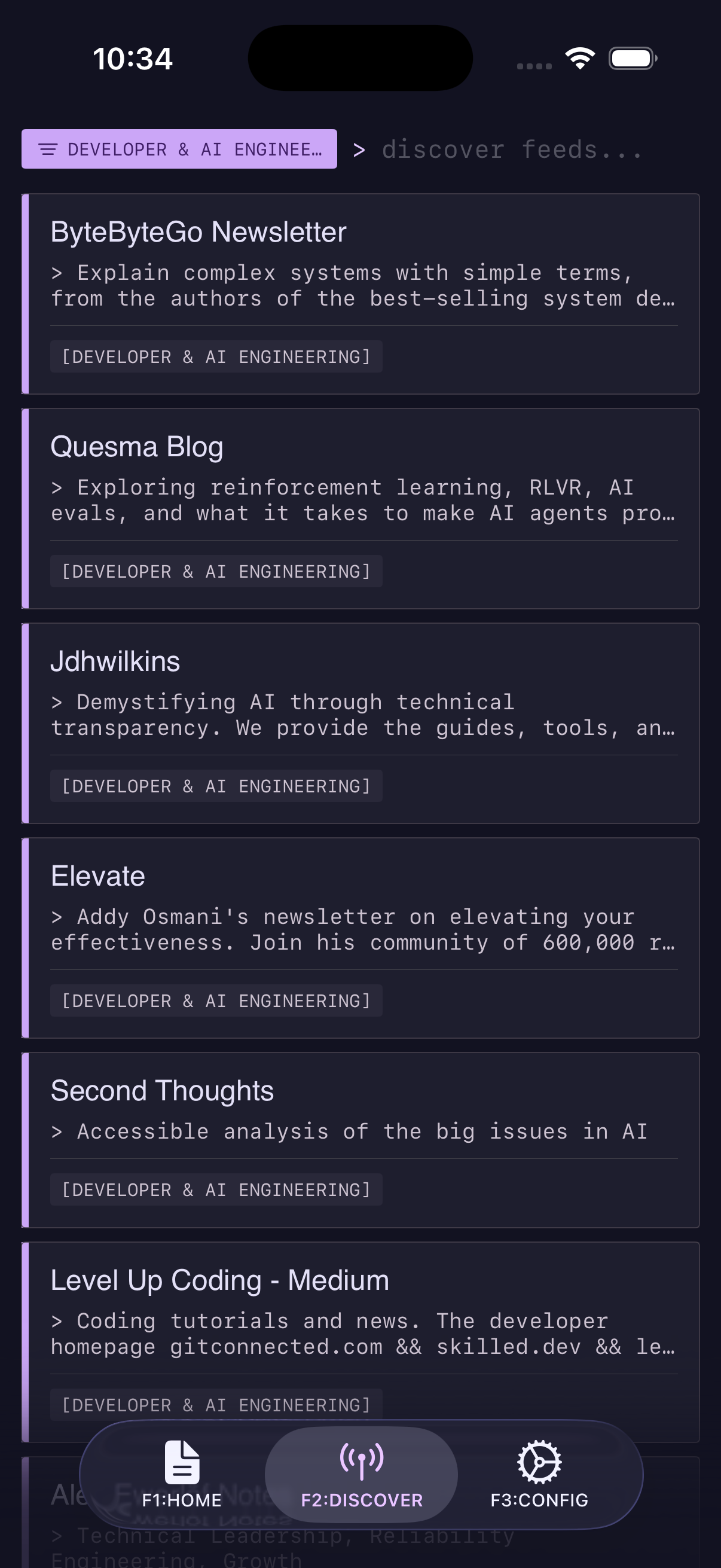
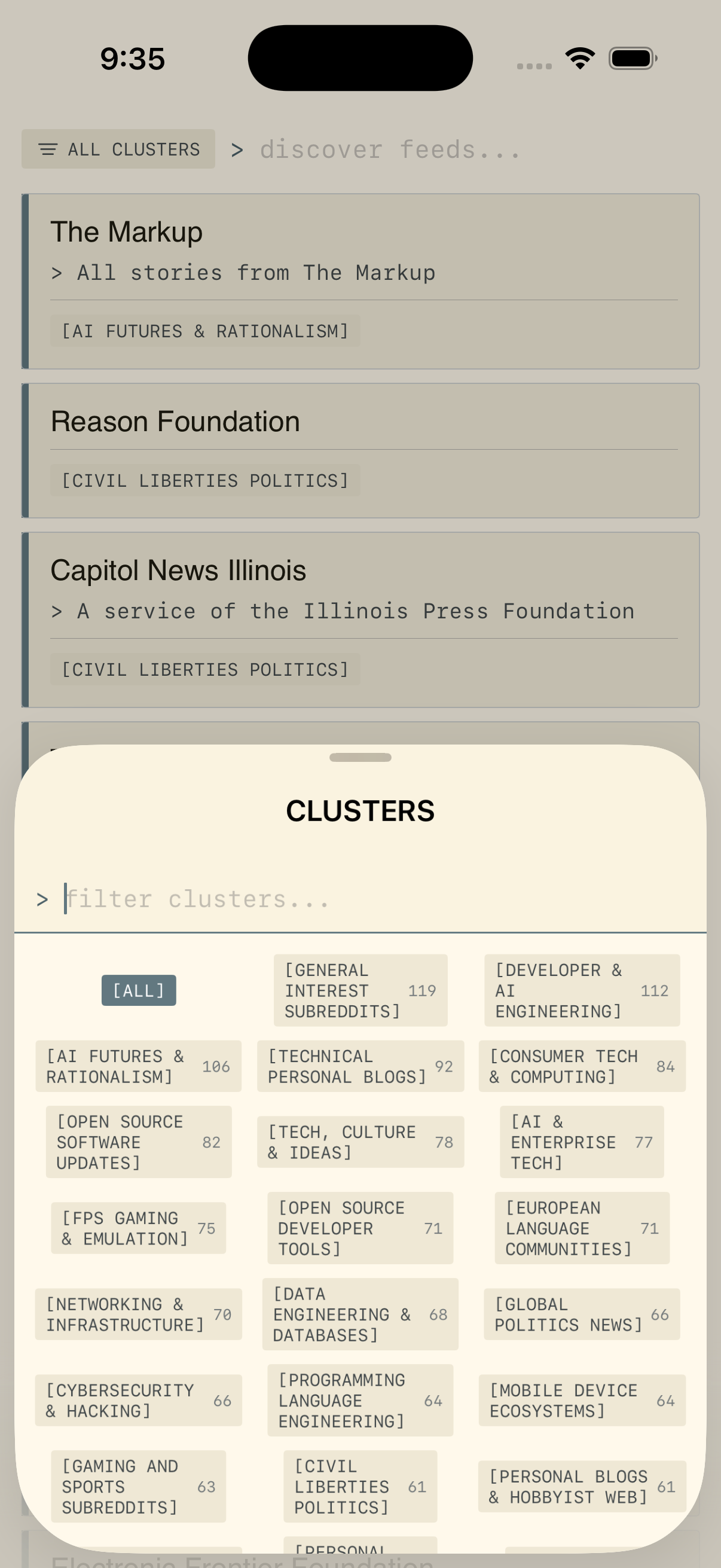
- Discover new feeds. Once you have a few votes, visit the Discover tab. feedctl recommends feeds by matching their content against your personal taste profile — entirely offline.
How Scoring Works
Every article in your queue has an affinity score — a number that represents how closely it matches your demonstrated interests. This isn't keyword matching; feedctl uses semantic vector embeddings to understand the meaning of the text.
Here's what happens under the hood:
- Each article's title and description are converted into a 384-dimensional vector using a local Core ML model This captures the semantic meaning of the text — not just keywords.
- Your votes are also embedded. When you upvote "home automation with HomeKit" and "smart thermostat energy savings," feedctl recognizes the semantic overlap even though the wording is different.
- For each new article, feedctl computes its similarity to your most relevant votes. High similarity to upvotes = high score. High similarity to downvotes = penalty.
- Votes decay over time. Upvotes and downvotes are weighted by recency as your tastes naturally evolve.
The score you see on each article (e.g. 0.73) is attraction from your upvotes minus a
weighted repulsion from your downvotes. Articles scoring below the affinity floor (default
0.2) are parked in a separate below-floor pool and never appear in the main
queue — so your daily reading stays dense.
When you clear the above-floor queue, feedctl shows a
QUEUE ZERO celebration with a show low-scoring articles button if anything is
waiting in the pool. You can tune the floor in Settings.
Training the AI
feedctl learns exclusively from your explicit votes. It never silently monitors your scroll position, dwell time, or tap patterns. If you didn't vote on it, it didn't happen.
- Upvote articles you find valuable, interesting, or want more of. Your upvotes pull similar future content toward the top of your queue.
- Downvote articles you find irrelevant, clickbait, or uninteresting. Downvotes push semantically similar content down your rankings.
- You don't need to read every article. Scanning headlines and voting on the ones that clearly hit or miss is enough to train the model effectively.
The model starts to feel dialed-in after about 20 real votes. Of course, the more you vote, the more accurate recommendations you'll receive!
Reading an Article
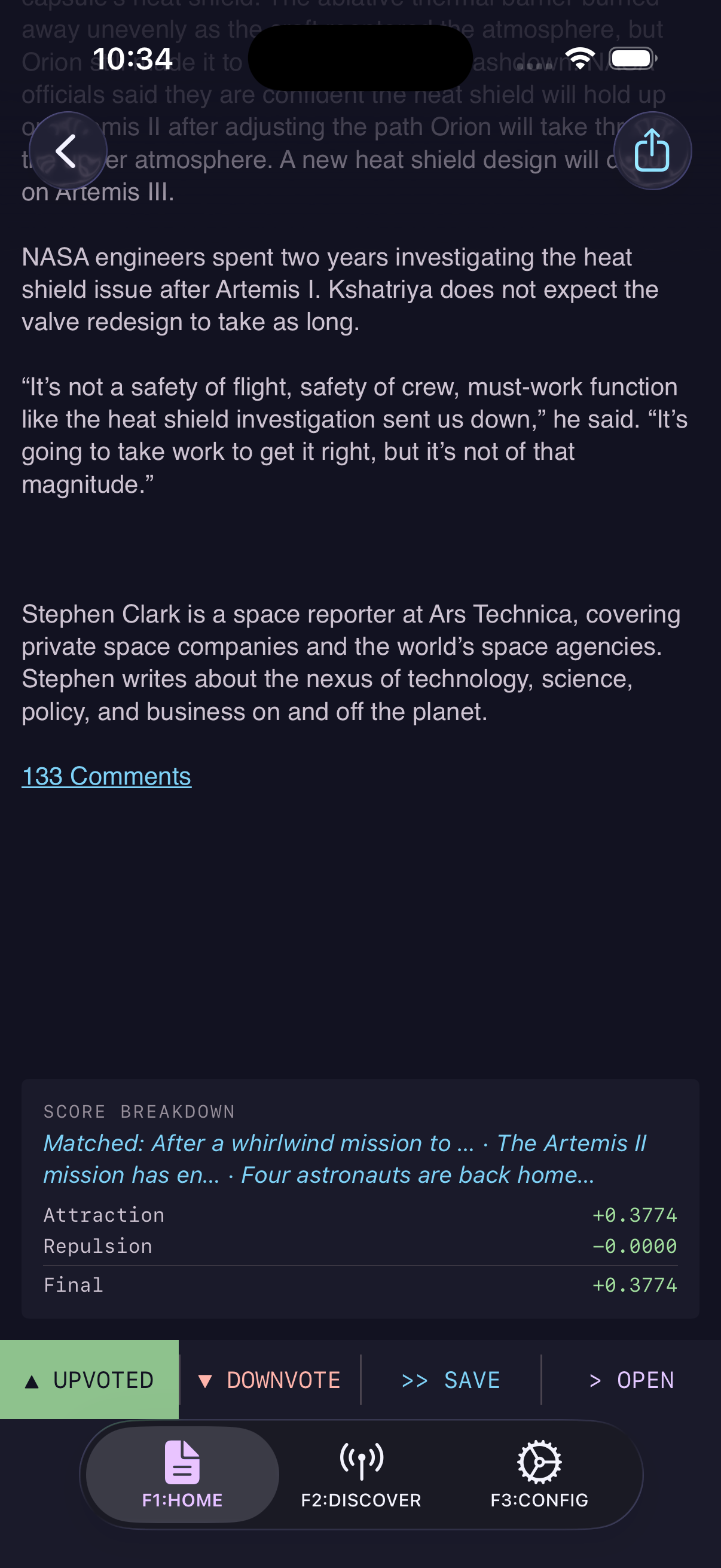
Tapping an article in your queue opens the detail view. It's structured top to bottom so you can skim, commit, or dig in without hunting for controls.
- Header. Title, source feed, and publish date. Tap the title to open the original in your browser.
- TLDR button (iOS 26+, longer articles). A one-tap 2–4 bullet summary generated on-device by Apple Intelligence. Appears above the body when the article has enough content to summarize.
- Article body. If the feed only gives you a teaser, feedctl silently fetches the
original page and extracts clean reader-view text — you'll see a brief
Loading full article…indicator on first open, then the full prose. The expanded text is also re-embedded and fed back into the scoring engine, so the score sharpens as you actually read. - Score Breakdown. Scroll past the body to see exactly why this article scored the way it did. On iOS 26+ you get a plain-English explanation ("matches your recent interest in distributed systems, similar to your downvote on cloud outages…") above the raw numbers: Attraction, Repulsion, an optional short-text penalty, and the Final score.
- Command Bar. A persistent footer with four actions:
▲ UPVOTE,▼ DOWNVOTE,>> SAVE, and> OPEN. Voting trains the model (see §3); SAVE pins the article; OPEN hands off to Safari.
Most AI readers hide the ranking logic. feedctl shows you the math and the narrative, so when a surprise article lands at the top of your queue you can always trace why.
Adding Feeds & Subreddits
feedctl supports standard RSS and Atom feeds, plus Reddit subreddits as a first-class source. You can add feeds in two ways:
- Settings → Feeds — paste any RSS/Atom URL and hit Add. The feed fetches immediately and a toast confirms the result.
- Discover tab — browse feedctl's built-in catalog of curated feeds, matched and ranked against your taste profile. Tap to subscribe instantly.
For Reddit, use the standard subreddit RSS format:
https://www.reddit.com/r/subredditname/.rss
feedctl acts as a read-only Reddit reader — it parses rich Markdown, full-resolution images, and data tables. Posting, commenting, and voting on Reddit are not supported.
Apple Intelligence Features
feedctl's core scoring engine works on any supported device — the CoreML model runs via Core ML on all iPhones with an A-series chip or later. However, some advanced features use Apple's on-device large language model and require iOS 26+ on an Apple Intelligence-compatible device. You can check if Apple Intelligence is enabled in the left-drawer (INTEL: AVAILABLE / NOT AVAILABLE)
| Feature | What it does | Requires |
|---|---|---|
| Scoring & ranking | Core ML vector embeddings, cosine scoring, queue ranking | iOS 17+ |
| Full-text extraction | Fetches the full article body from truncated feeds | iOS 17+ |
| "Why this article?" | Plain-English explanation of why an article scored the way it did | iOS 26+, Apple Intelligence |
| TLDR summaries | 2–4 bullet-point summary generated from the article body | iOS 26+, Apple Intelligence |
| Smart cluster labels | Natural-language labels for grouped topics in your queue | iOS 26+, Apple Intelligence |
If your device doesn't support Apple Intelligence, feedctl gracefully falls back to heuristic-based alternatives. You still get the full scoring engine — the LLM features are a bonus layer, not a requirement. The exception is TLDR, which requires Apple Intelligence and has no fallback
Themes & Accessibility
feedctl ships with four handcrafted themes based on the Catppuccin color system, each designed for extended reading sessions:
- Mocha — deep dark theme. The default. Low-strain, high-contrast text on dark surfaces.
- Mocha High Contrast — same palette, boosted contrast ratios for accessibility compliance.
- Latte — warm light theme with solarized parchment tones. Great for daytime reading.
- Latte High Contrast — light theme with sharper borders and bolder text weights.
Power User Tips
- Vote broadly at first. The model converges faster with diverse signals. Don't just upvote your favorite niche — downvote the noise too.
- Steer with cluster chips. feedctl runs similarity clustering across your queue embeddings and surfaces the results as a horizontal chip bar above the article list. Tap a chip to filter the queue to a single semantic group; tap again to clear. On iOS 26+, each cluster gets a short natural-language label from Apple Intelligence (e.g. "AI tooling", "macro finance"); on older devices you'll see a top-term fingerprint instead.
- Push notifications track your baseline, not a fixed cutoff. When a background refresh brings in new articles, feedctl computes the mean affinity score of your current above-floor queue and only notifies you about new articles that beat that mean by a configurable multiplier. As your taste sharpens and average scores rise, the bar for a push rises with it — so you never get a flood. Tune the multiplier Advanced Settings.
- Full-text extraction is automatic. When a feed gives you a truncated teaser, feedctl fetches the original page the moment you open the article, extracts clean reader-view text, and re-embeds it so the score can sharpen against the actual prose — not just the headline.
- Your data stays local — always. There is no sync, no cloud, no telemetry. If you delete the app, everything goes with it.
Curious why an article scored high or low? Scroll down to the Score Breakdown section in article detail. On iOS 26+ devices, feedctl will explain the scoring breakdown in plain English. On older devices, you'll see the raw similarity scores against your vote history.